
 Michelle Dassen


We've been listening to you. And we heard the same thing over and over: compiling campaign performance data takes way too long. Clicking through dozens of individual reports, manually building spreadsheets, wrestling with API exports just to answer simple questions like "How did my newsletters perform last quarter?" or "Which campaigns got the best engagement this year?"
Today, that changes. Meet the new campaign reports dashboard – your new one-stop view for all your email marketing performance.
Today, that changes. Meet the new campaign reports dashboard – your new one-stop view for all your email marketing performance.
Quick overview:
Finally, all your campaign data in one place
Think of this as your email marketing control tower. Instead of visiting each campaign report individually, you now get a bird's-eye view of everything you've sent, with the power to drill down exactly how you want.Here's what makes it special:
Smart filtering that actually makes sense
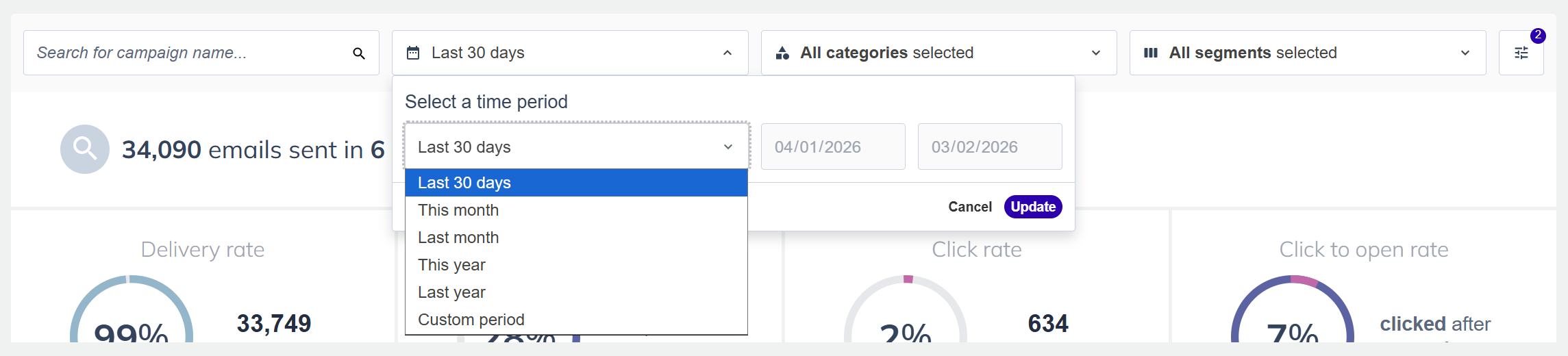
Filter your campaigns by:
- Timeframe: Last 30 days, this month, last quarter, this year, or pick any custom date range
- Categories: See performance by newsletter, promotion, announcement or language, – however you currently organize your campaigns
- Campaign types: Compare regular campaigns vs. A/B tests
- Audience segments: Analyze how different audiences respond to your messaging
Pro tip: If you haven’t used campaign categories before, you can still create them and move existing campaigns to those categories using the multi-select on your campaign overview.
Seven essential KPIs at a glance
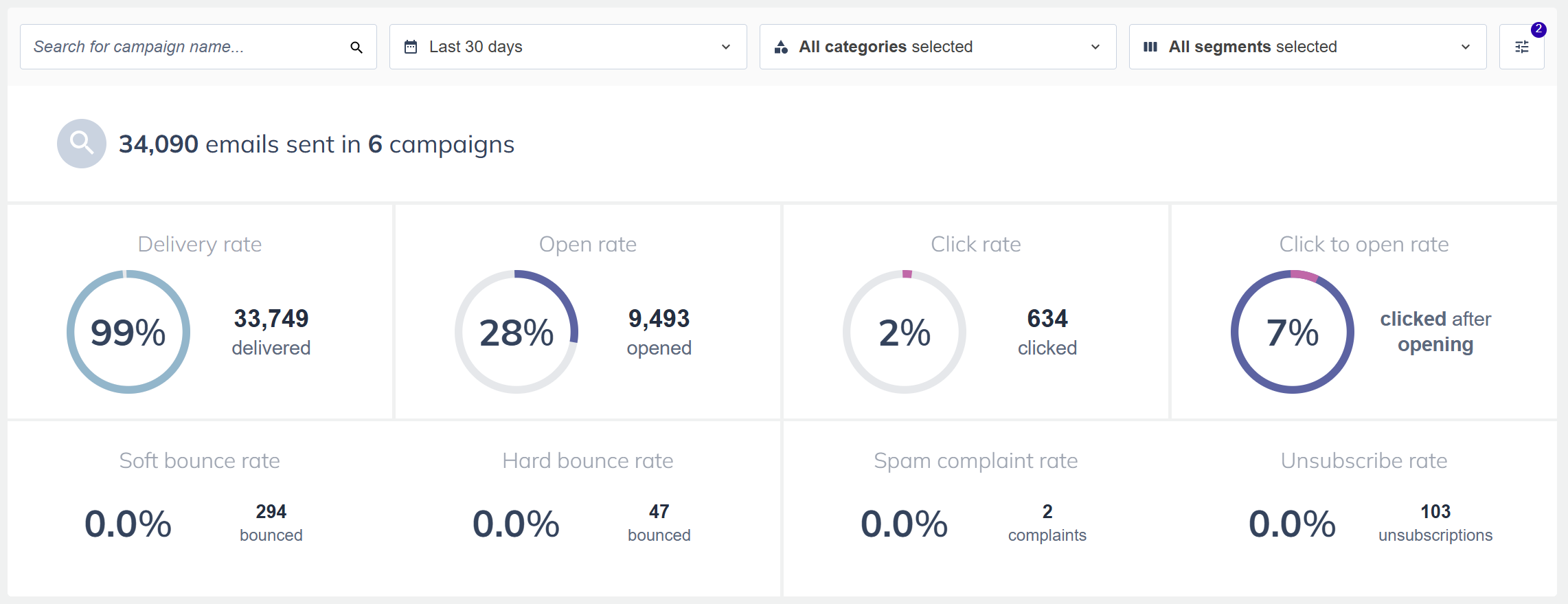
The dashboard highlights the metrics that matter most:
- Delivery rate
- Open rate
- Click rate
- Click-to-open rate
- Bounce rates (soft and hard)
- Spam complaint rate
- Unsubscribe rate
A performance table that works like you think
See all your campaigns in one organized table with every metric you need. Sort by any column to find your best performers or identify campaigns that need attention. Click any campaign name to jump straight to its detailed report.We've also added visual indicators that flag potential issues, so you can spot problems before they become bigger problems.
Why you'll love the campaign reports dashboard
For busy marketers: Stop spending hours compiling data. Get your monthly performance report done in minutes, not an entire afternoon.For data-driven teams: Make better decisions faster. See patterns across campaigns, identify what's working, and double down on strategies that drive results.
For agency teams: Build client reports effortlessly. Filter by client segments, export comprehensive data, and show your results with confidence.
For everyone: Finally, a simple answer to "How are our emails performing?" without needing a computer science degree or three hours of free time.
What's coming next?
This is just the beginning. We're rolling out this dashboard in phases, and here's a preview on what's on the roadmap:- Period comparisons: Compare this month to last month, or this quarter to last year, right in the dashboard
- Saved views: Save your favorite filter combinations for instant access
Getting started
Ready to reclaim those hours you've been spending on campaign analysis?- Log in to your Flexmail account
- Navigate to Reports > Campaign reports dashboard
- Pick your timeframe (we default to the last 30 days to get you started)
- Apply filters to slice your data however you need
Real talk about what's different
If you've been using our SOAP API for custom exports or manually pulling data from individual reports, this dashboard replaces that entire workflow. It's faster, easier, and gives you everything you need without the technical gymnastics.And unlike individual campaign reports (which are still there when you need that granular detail like click maps and device breakdowns), the dashboard gives you the big picture. It's the "forest" view to complement the individual reports' "trees."
Pro tips for power users
- Monthly reporting routine: Set your timeframe to "last month," apply your category filters, hit export. You're done.
- Trend spotting: Sort by different metrics to see which campaign types consistently perform best
- Audience insights: Filter by different segments to understand which audiences engage most with your content
- Health checks: Keep an eye on those warning indicators – they're your early warning system for deliverability issues

Would you like to try Flexmail?
Design mails tailored to your needs, reach your target group, and learn from the proper results.
Get a free trial now

